Wednesday, February 25, 2009

Netbook Usability Review

gnetbook2.jpgNetbook Nightmare: My Experience With the Sylvania g Netbook: February 13, 2009

Caitlyn Martin of O'Reilly Media writes up her usability review of the Sylvania g Netbook. The term netbook refers to a small laptop that has a basic operating system and minimal software that capatilizes on web applications and cloud computing. Martin's review concludes that there are still some interface barriers that are being worked out in this early beta stage. The major difficulites resulted in the software and hardware problems. Most of the operating systems of these netbook are gOS (Google Web Apps + Linux Operating system) based and as a result are having difficulty with patch, drivers, and software updates. In addition, on the hardware end, the touch pad is too small to be functional and does not include a CD drive needed to reinstall operating systems.


Using Don Norman's priciples for the "Design of Everday Things", it appears the interface failures are primarily due to design constraints. The netbook designers have not found the right balance for the cost/benifit contraints of the physical size of the netbook. For example, it seems as they might have gone to small to be effective and efficency with the touchpad causing users to make the portable device more clunky by forcing users to plug in an USB mouse. Secondly, Martin talks about a nightmare process of updating the Linux OS drivers and updates. Norman would argue this could be culturual/logical constraint to average mainstream users who are unfamiliar with Linux and culturally programmed and logically familiar with an Apple or Windows operating system.

My questions:
1) It is not a matter of if but rather when the bugs get worked out and this class of cheap computers hits mainstream in particular our schools how will it transform education when parents starting buying their kids these new "school supplies" to bring into the classroom?

2) Why doesn't Linux make more effort to design their usability interface to meet average main stream users to assist them in crossing over?

See Also:
Don Norman's Design Principles a roll up lectures, powerpoint, resources on his work

Tuesday, February 24, 2009

Don Norman's Design Principles


Don Norman: The Design of Future Things Video Lecture

Good short summary Don Norman’s design principles
His 5 principles of visibility, natural mapping, constrain, feedback, and conceptual map prove to be an effective framework to review and evaluate a design.

Good 19 Slide Power Point Summary Design of Everyday Things

Friday, February 13, 2009

XMind: Free Concept Mapping Tool


XMind has switched from proprietary commerical software to free software (freeware)!

Not only does it do mind maps but you can include spreadsheets, fishbone diagrams, tree charts, and org-charts. It works on Windows, Mac, & Linux.

It also has "Social Brainstorming" features that allow you to share, collaborate, and publish your mind maps.

Sign up for an account, download the free software, and then you can upload your maps.

See the EdVibes Screencast demo we made


Also check out XMind Tutorial


See also:
Mind Mapping: A Guide & Resources


Tuesday, February 10, 2009

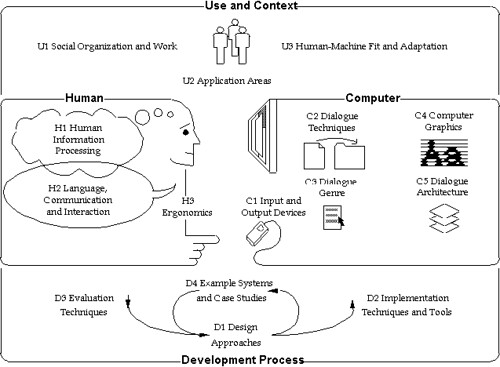
A Taxonomy of Human Computer Interaction

taxonomy

This document was adapted from Section 2 of the ACM SIGCHI Curricula for HCI, ACM Press, 1992.

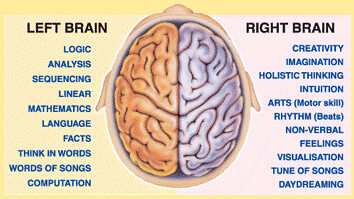
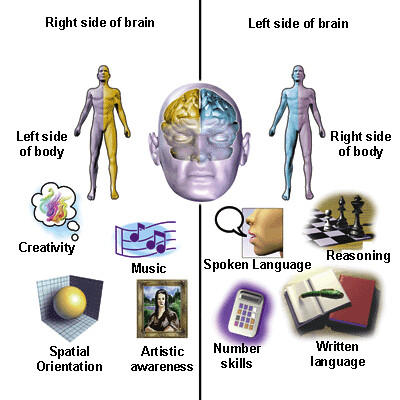
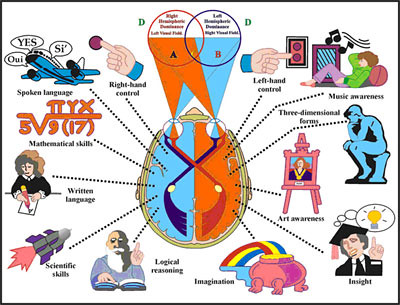
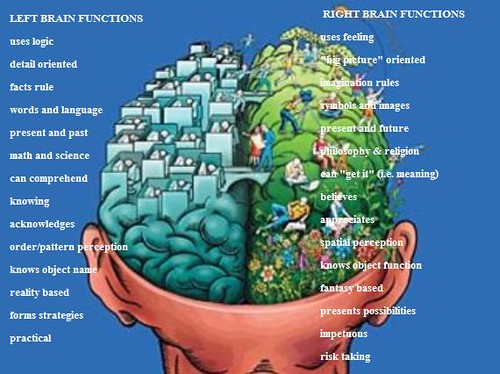
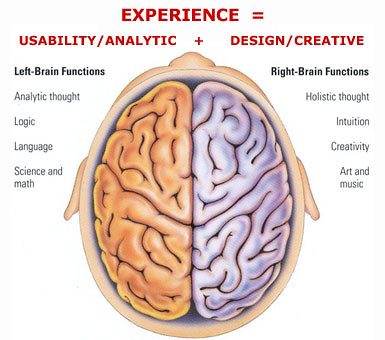
Right vs. Left Brain Hemispheres

Which is the dominant side of your brain?

Review the diagrams and watch the video below.

Left_Vs_Right_Brain

brain_function_hsf

brain

brain2dr4

left_right_brain_xp

So which side do you think is your dominant?

1) Press play on the video below to test yourself.
2) Try some of these quick web surveys:
    Brain Dominance Test
    Hemispheric Dominance Inventory Test