
1) Go to Google Sites Overview Page watch the tour and read up
2) If you don’t have a Google Account sign up for one
3) Watch some tutorials from a Youtube Playlist from Google to get you up and started:
At least watch these:
How to create a new google site
How to edit a google site
How to embed content into a google site
4) Explore and start building
Sunday, February 1, 2009

Video: Anatomy of a Wiki
YouTube - Anatomy of a Wiki: Using Wikispaces, they take you through a nice tour of all the main components of a wiki such as the navigation, history, and discussion
Video: Blogs vs. Wikis
YouTube - Blogs vs. Wikis: A fictional debate between JFK and Richard Nixon on the propriety of using blogs vs. wikis.
One main separation I have heard a lot of educators use for the students and educational purposes, blogs are for opinions, ideas, and journaling whereas, wikis can be used for facts, resources, and projects.
Saturday, January 31, 2009
Best Free APA Cheat Sheet References
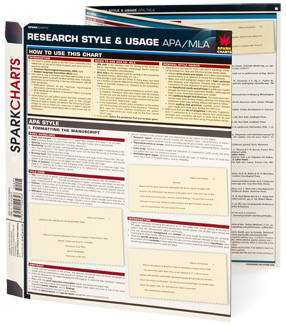
Thanks to crowdsourcing my colleagues in my cohort I have put together a list of some good free online APA Crib Sheet References.
APA Style Essentials
APA Reference Style Guide
APA Formatting and Style Guide
APA Style Primer
APA Research Style Crib Sheet
Or you could buy the commercial laminated 6 page reference guide here. (see figure to the right)
Don't forget about going straight to the source at http://www.apastyle.org/
Thursday, January 29, 2009
Video: Web 2.0 Us/ing Us
Web 2.0 Us/ing Us
The rising trend of Web 2.0 is shifting from a human to computer interaction to human to web interactions. As the new web platform behaves more like desktops and software applications, we should shift our paradigm on how we view technology.
To read the transcript of the video click here
Subscribe to:
Posts (Atom)


 Posts


